
Bible Whale

Bible Whale

The world's best Bible study software — read the Hebrew, the Greek, and get scholarly breakdowns of every chapter and verse.

Free · Windows · Mac · iPhone · Android
On your phone

Everything a seminary library gives you, in your pocket.

What you are watching is the real app, unedited.

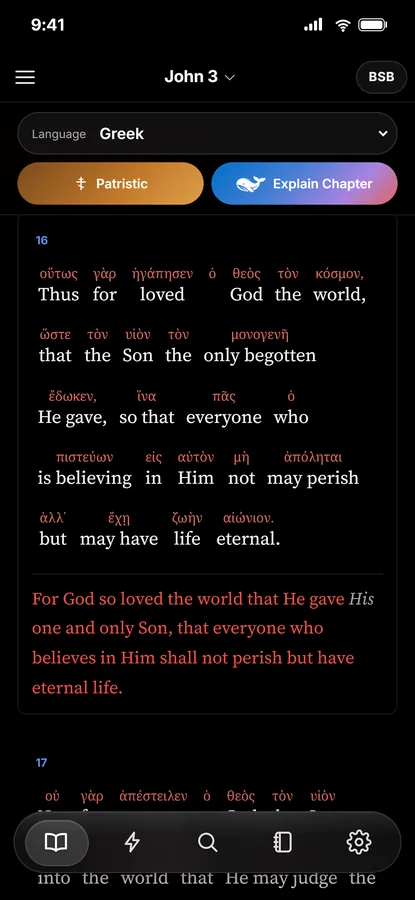
  • Switch any passage to Hebrew or Greekand tap a word to see what it means, how it is parsed, and everywhere else it appears.
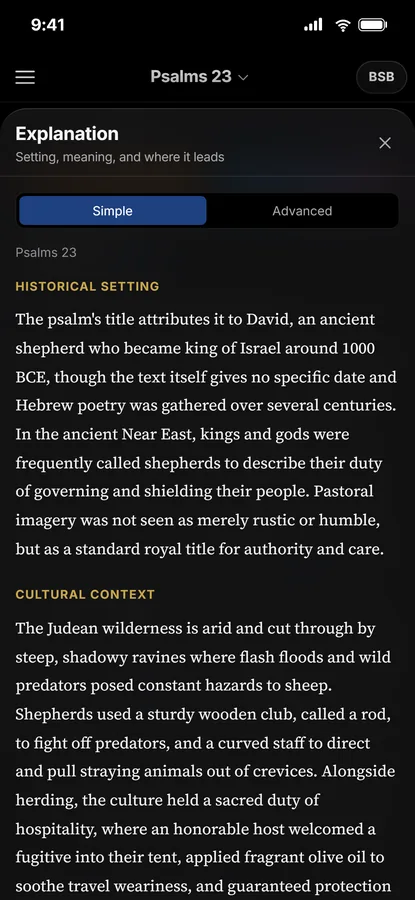
  • Explain Chapter, Simple or Advanced— setting, meaning, where interpreters differ, and where it leads.
  • What the church fathers wroteon the same passage: Chrysostom, Augustine, Gregory, cited by name.
  • Verse Flash— one verse per screen, swipe through, like the ones you want to keep, and jump straight into the chapter.
On Windows and Mac

The same study, on a big screen.

Romans 8 in Greek, the word predestined opened, the chapter explained, the fathers consulted, a verse highlighted and explained — the desktop app does it all side by side with the text.
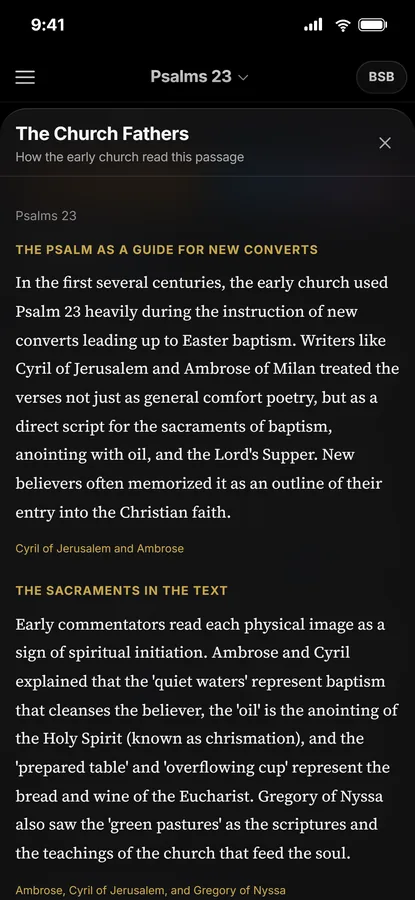
The Church Fathers panel on a phone
The Explanation panel for Psalm 23 on a phone
Explain Chapter · Patristic

A scholar's breakdown of every chapter and every verse.

Press Explain and the chapter is set out the way a good commentary does it: the historical setting, the immediate context, what it means, where serious readers disagree, and how it points forward. Press Patristic and you read how the early church understood the same words.
  • Simple gives you the essentials in plain language; Advanced adds sources, debated readings and original-language detail.
  • Contested passages present each serious reading and the tradition that holds it — the app does not settle the dispute for you.
  • Tap any verse number for an explanation of just that verse.
  • Commentary is written from a biblical scholar's footing and shipped with the app, so the whole Bible is covered before you open it.
John 3 in Greek with the English under each word
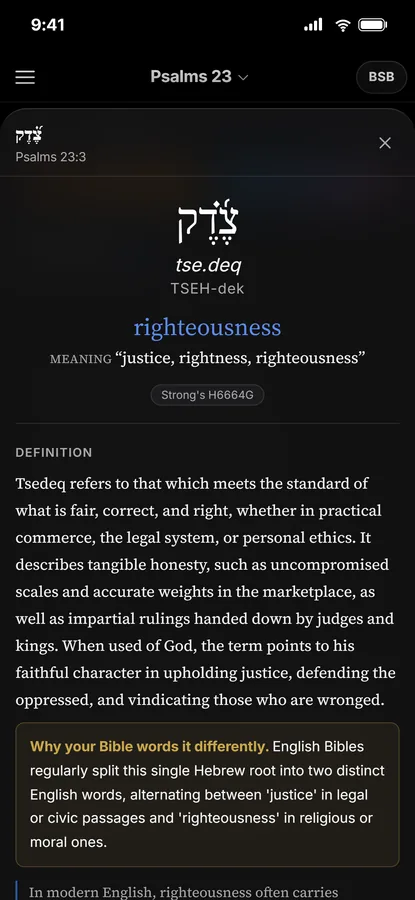
The word panel for a Hebrew word: pronunciation, meaning, definition and common uses
Word by word

Read the Hebrew and the Greek, with the English under every word.

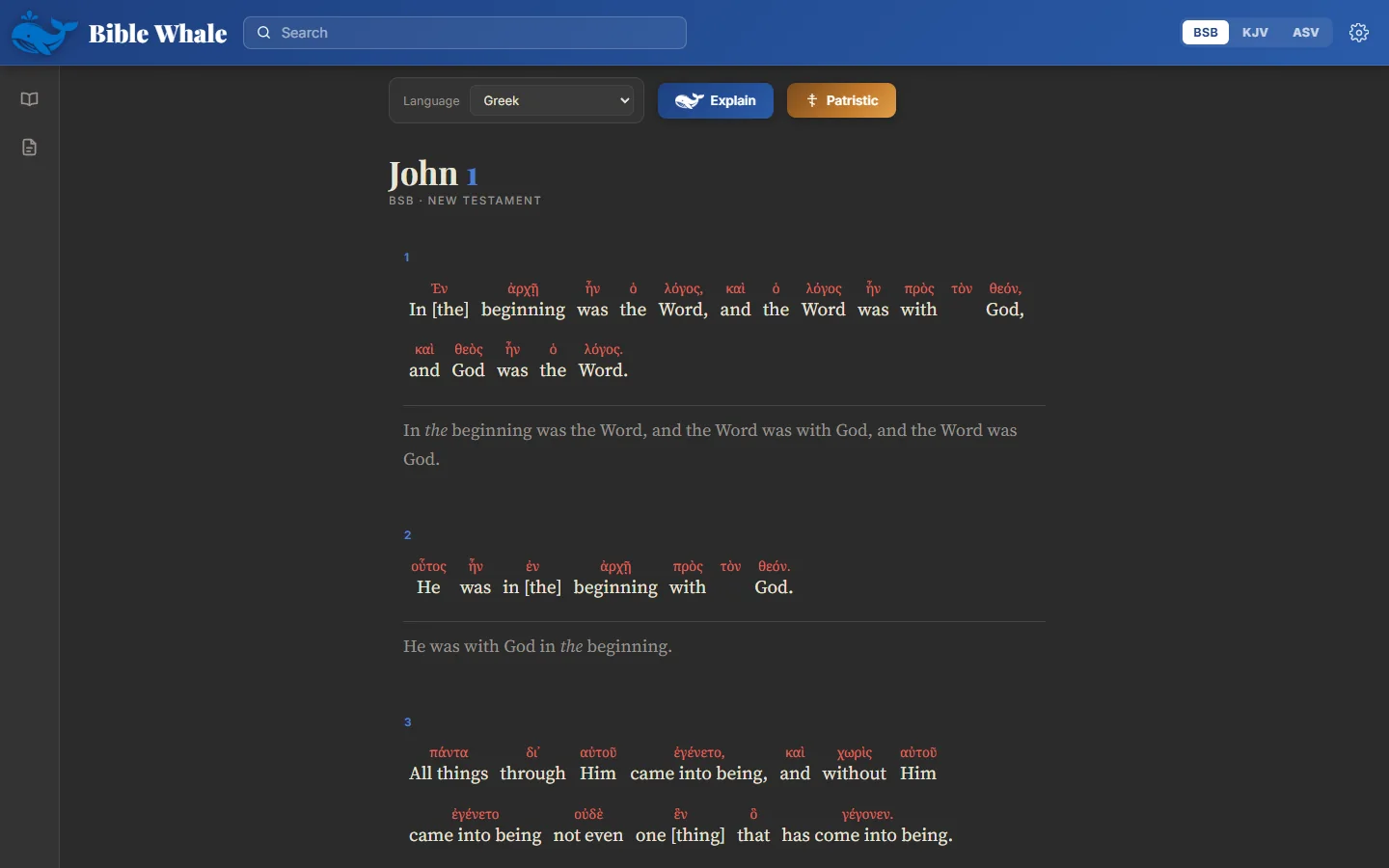
Switch the language and the original text appears above the translation it produced — word for word, aligned by hand, not guessed by position. Tap a word to open it.
  • How it is said — a pronunciation you can actually use.
  • What it means — the lexicon definition, rewritten in plain English, with a note on why your Bible words it differently.
  • How it is parsed — tense, person, gender, number, explained rather than abbreviated.
  • Where else it appears — every occurrence of that exact word, one tap away.
  • Hebrew for the Old Testament, Greek for the New, and the Septuagint Greek for the Old as well.
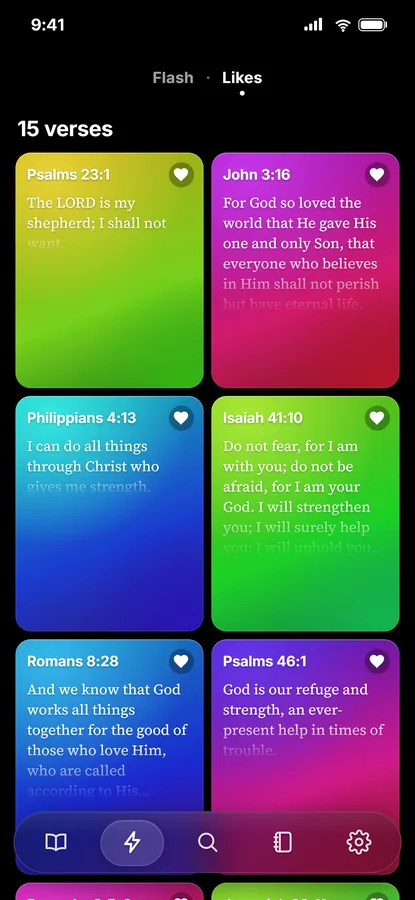
The Likes gallery: liked verses as colourful tiles
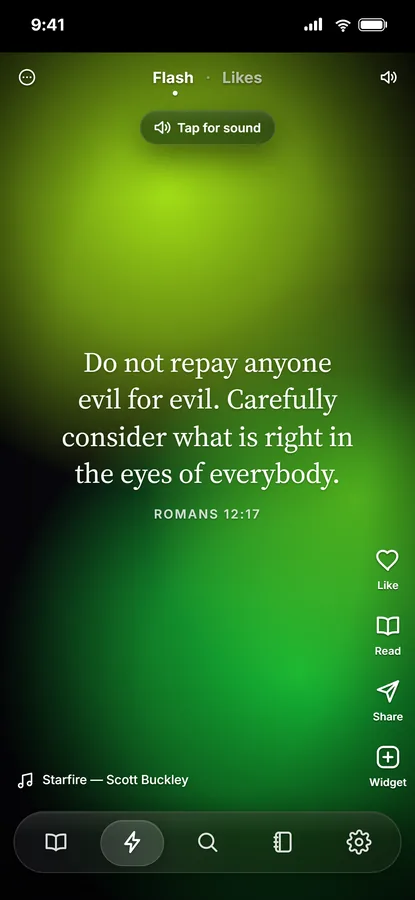
A Verse Flash card: one verse on a full-screen colour gradient
Verse Flash

One verse at a time. Keep the ones that speak to you.

A feed of Scripture, one verse per screen, with music if you want it. Swipe through, like a verse to keep it, share it as a picture, or press Read to land in its chapter with the verse highlighted.
  • Your likes become a gallery you can scroll back through any time.
  • Share a verse card to messages or social media with one tap.
  • Pin a verse to your home screen as a widget.
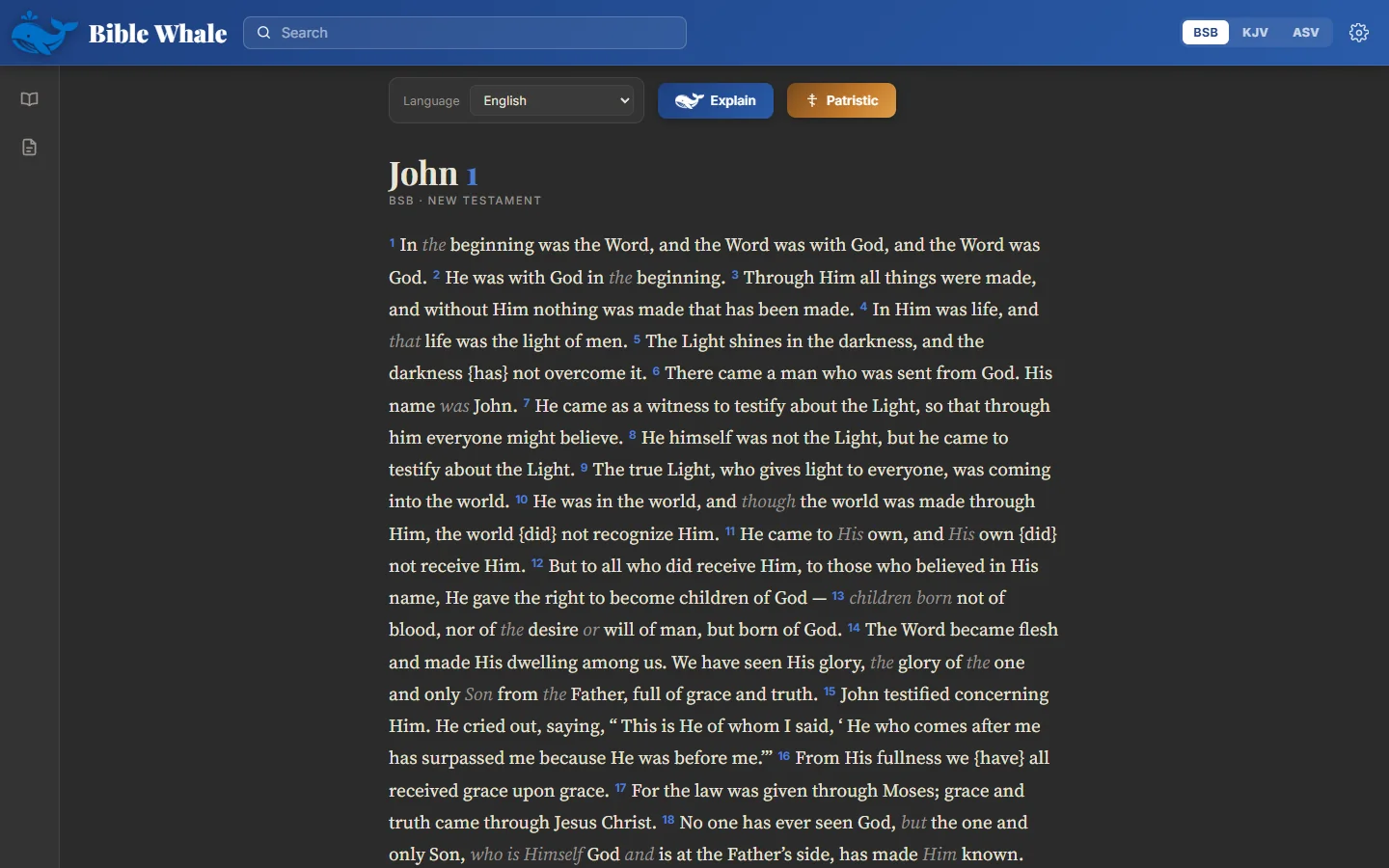
John 1 in the Windows app
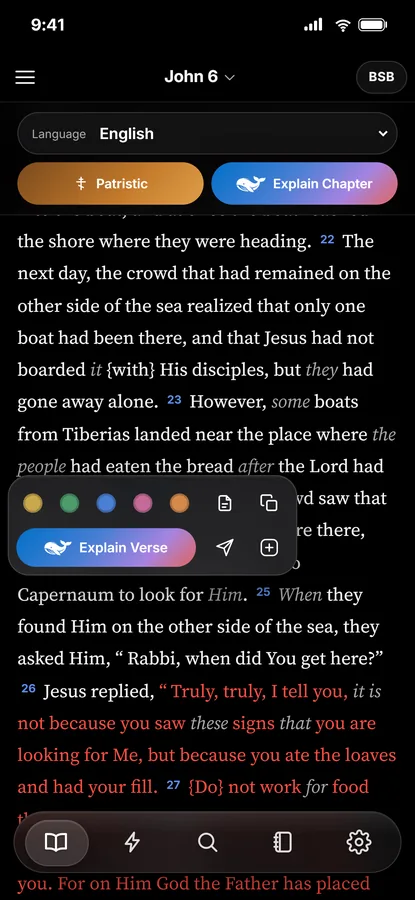
The verse popover on a phone: five highlight colours, a note, Explain Verse
Notes and highlights

Your notes follow you from the desk to the phone.

Five highlight colours, notes attached to verses, folders for a study or a sermon series. Sign in on both devices and the same notebook is on each; everything also stays on the device, so nothing depends on a connection.

  • Highlights and notes are kept on your device first, always.
  • One account links the desktop app and the phone; nobody else can read your notebook.
  • Search inside your own notes as easily as inside the Bible.
Fully offline

Everything is on your device. Nothing needs a signal.

The whole Bible, the tagged Hebrew and Greek, the lexicons, the concordance and the commentary library ship inside the app. On a plane, in a church basement, with the wifi off — it all works.

No connection required

Scripture, word data and commentary are installed with the app, not fetched when you open it.

No tracking

No analytics, no advertising, no reading history sent anywhere. An account is only for syncing your own notes.

Windows, iPhone, Android

A proper Windows program and a native-feeling phone app, built from the same accurate data.

Under the hood

Built on published scholarship, not guesswork.

Every Hebrew and Greek word is tagged with its Strong's number, full morphology and a scholarly gloss, from datasets produced at Tyndale House, Cambridge. The same word gives the same answer every time.
31,000+
verses, every one aligned to its original words
22,000+
word entries with pronunciation, definition and uses
Strong's
numbers on every word, so any reference book lines up
King's
numbers for Septuagint vocabulary with no Strong's entry
  • CC BY 4.0STEPBible tagged Hebrew Old Testament and Greek New Testament, with the Brief Lexicons of Extended Strong's — Tyndale House, Cambridge.
  • Public domainBerean Standard Bible as the reading text, with the King James and American Standard versions alongside.
  • Public domainSeptuagint (Swete's text), tagged and aligned to the English for every Old Testament chapter, with King's numbers for its own vocabulary.
John 1 in Greek in the Windows app, the English under each word

Read the Bible in the words it was written in.

Free, for everyone, forever. Windows and Mac now; coming to the App Store and Google Play.

If it is valuable to you, you can support Bible Whale with a donation. Never required.